
Your complete guide to the Tomouh platform
Abu Dhabi's digital government learning platform: what it is, how to sign in, and how to use it step by step.
Tomouh is a free platform from the Abu Dhabi Department of Government Enablement (DGE), run by the Government Academy, mainly for Abu Dhabi Government employees. It offers more than 1.1 million learning hours in Arabic and English from Microsoft, LinkedIn Learning, Coursera and others, plus the Government Academy. It includes an AI virtual coach that builds a personal learning path for you, and you earn certificates when you complete courses.
What is Tomouh?
Tomouh is Abu Dhabi's digital government learning platform. It is built to develop government employees' skills with content matched to their job role. According to the Government Academy in June 2026, the platform serves more than 45,000 users.
A large, varied library
Courses, programmes and live workshops from global providers (Microsoft, LinkedIn Learning, Coursera), plus Government Academy content in Arabic.
Learn on your own time
Short self-paced courses (from 24 minutes) and full programmes (more than 20 hours) that you can finish any time, from anywhere.
Certificates and badges
You get a certificate when you complete a course, and collect points and badges that show on your profile and the leaderboard.
An AI coach
The Tomouh virtual coach asks about your goals and job role, then builds a personal learning path with clear goals.
Sign in
Signing in is simple and needs no subscription or payment:
- Open the site: go to
tomouh.gov.aein your browser, or download the Tomouh app from the App Store or Google Play. - Sign in: on the welcome page, choose "Continue with UAE PASS" to sign in with UAE PASS, or "Continue with email" to sign in with your email address.
- Complete your profile: add your skills and job details to get more accurate recommendations and earn extra points.
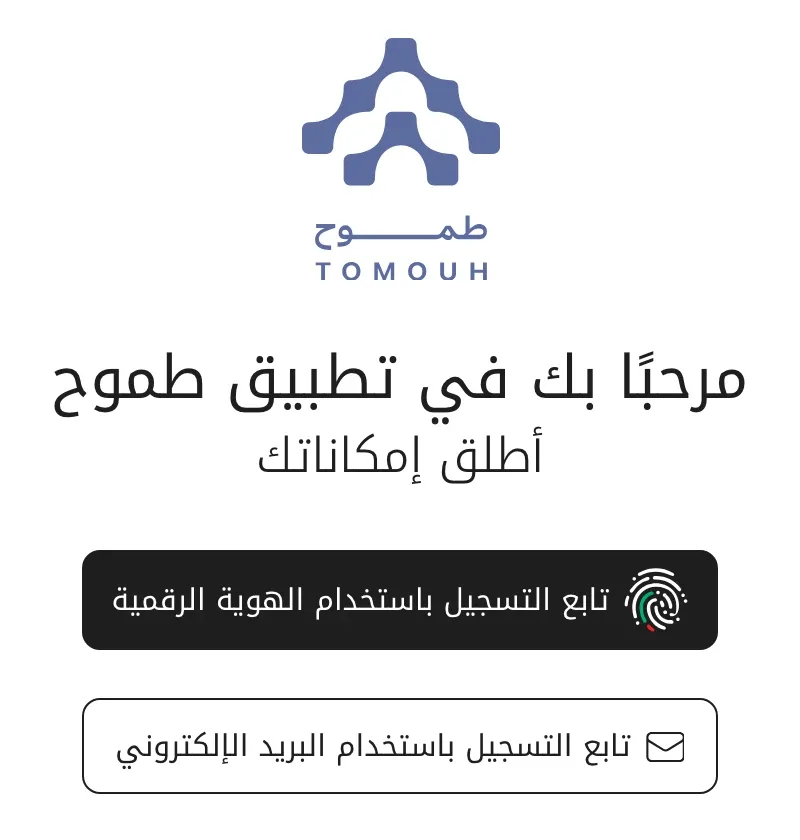
Note: the platform mainly serves Abu Dhabi Government employees, and also groups such as job seekers and retirees through programmes made for them. If you cannot sign in, check that your entity is one of the entities on the platform. In October 2026, the Department of Government Enablement announced a free AI learning track (AiNative) on Tomouh that citizens and residents can reach with UAE PASS. No public launch date has been announced yet, so follow the department's official channels.
A tour of the main screen
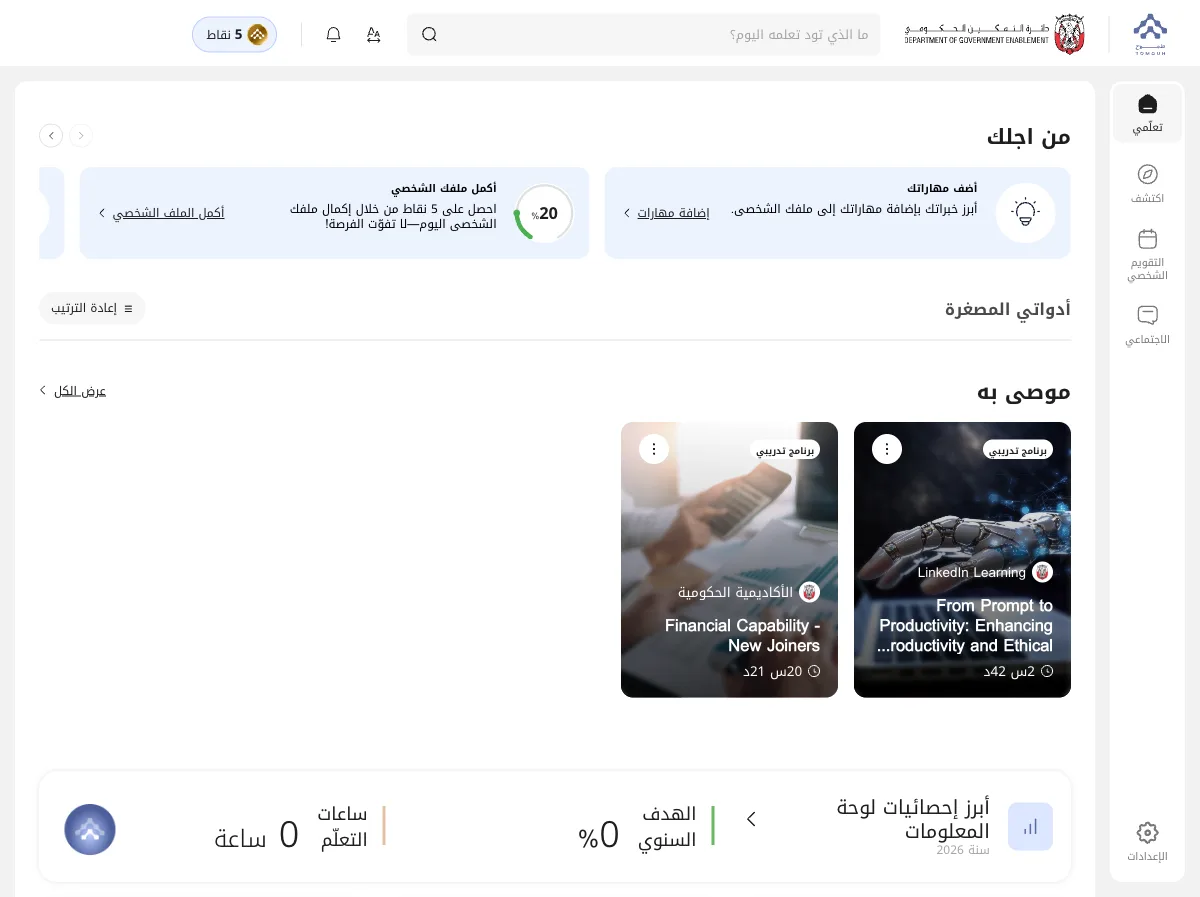
After you sign in, you see your main dashboard, "My Learning". The side menu has 4 main sections, and at the top there is a search bar that asks "What would you like to learn today?". The screenshots and labels in this guide come from the Arabic interface, so the English wording on your screen may differ slightly.
Your dashboard: recommendations for you, your learning progress, key statistics and upcoming events.
The content catalogue: browse courses by job category (new joiners, professionals, managers, under-secretaries) or by newest and most popular.
Your training schedule: upcoming workshops and live sessions that matter to you.
Professional communities: discussion groups across Abu Dhabi Government, such as the AI tools community and the data community.
The Tomouh virtual coach: your own path
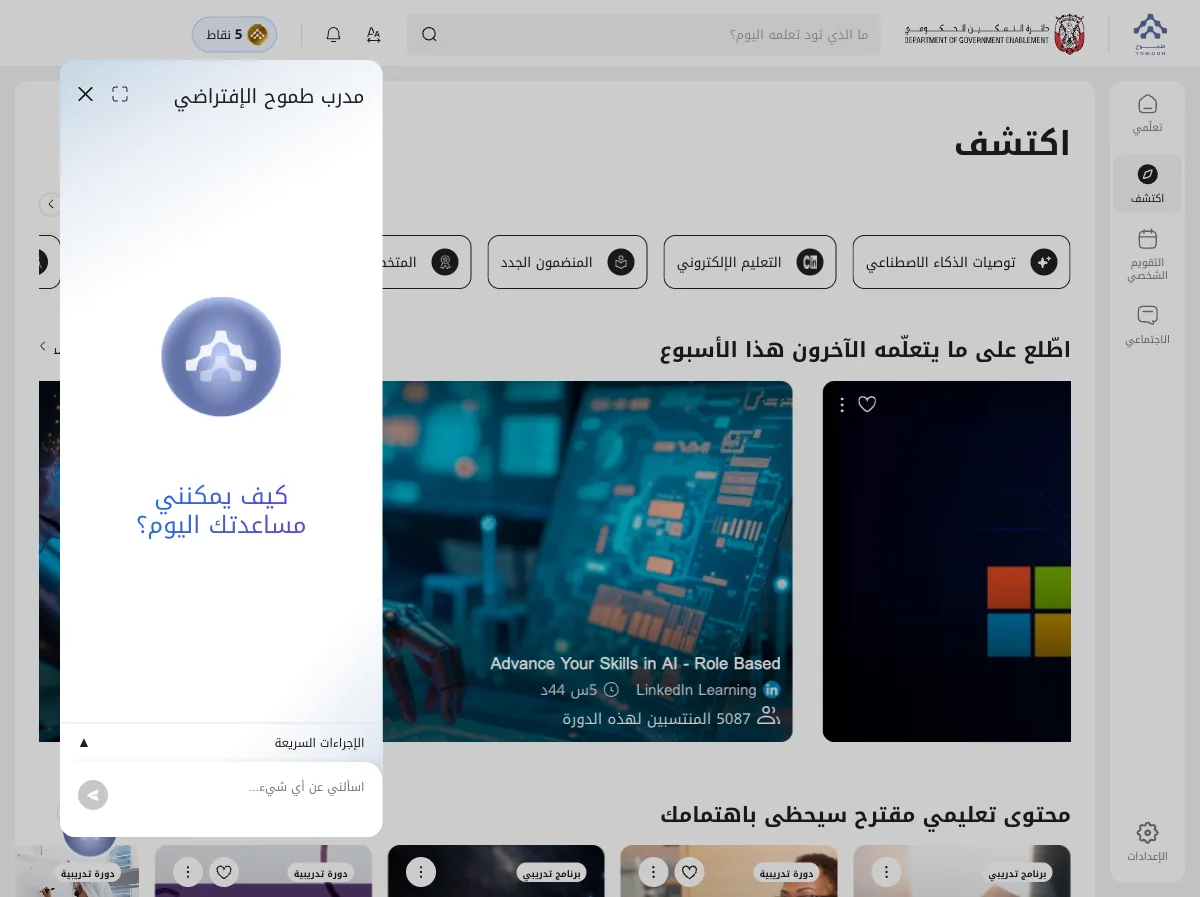
This is the platform's strongest feature. Tap the "Tomouh virtual coach" button at the bottom of the screen (or the "Create a learning path" card) and the coach starts a short conversation with you:
- It asks about your career direction: technical specialism, leadership and management, cross-disciplinary experience, entrepreneurship and innovation, or keeping up to date in your field.
- It learns your role and goals: through quick questions, and you can also answer in your own words in detail.
- It builds your personal learning path: an ordered series of courses that serves your goal, and you track your progress on your dashboard.
How to find a course and start
In "Discover" or with the search bar (it accepts Arabic and English), you will find 3 types of content, each with its own button:
A single unit: a lesson or short course you start right away with "Start course". Example: a 24-minute LinkedIn Learning course.
A bundle of courses: several linked courses you join together with "Register". Example: a programme of 5 courses.
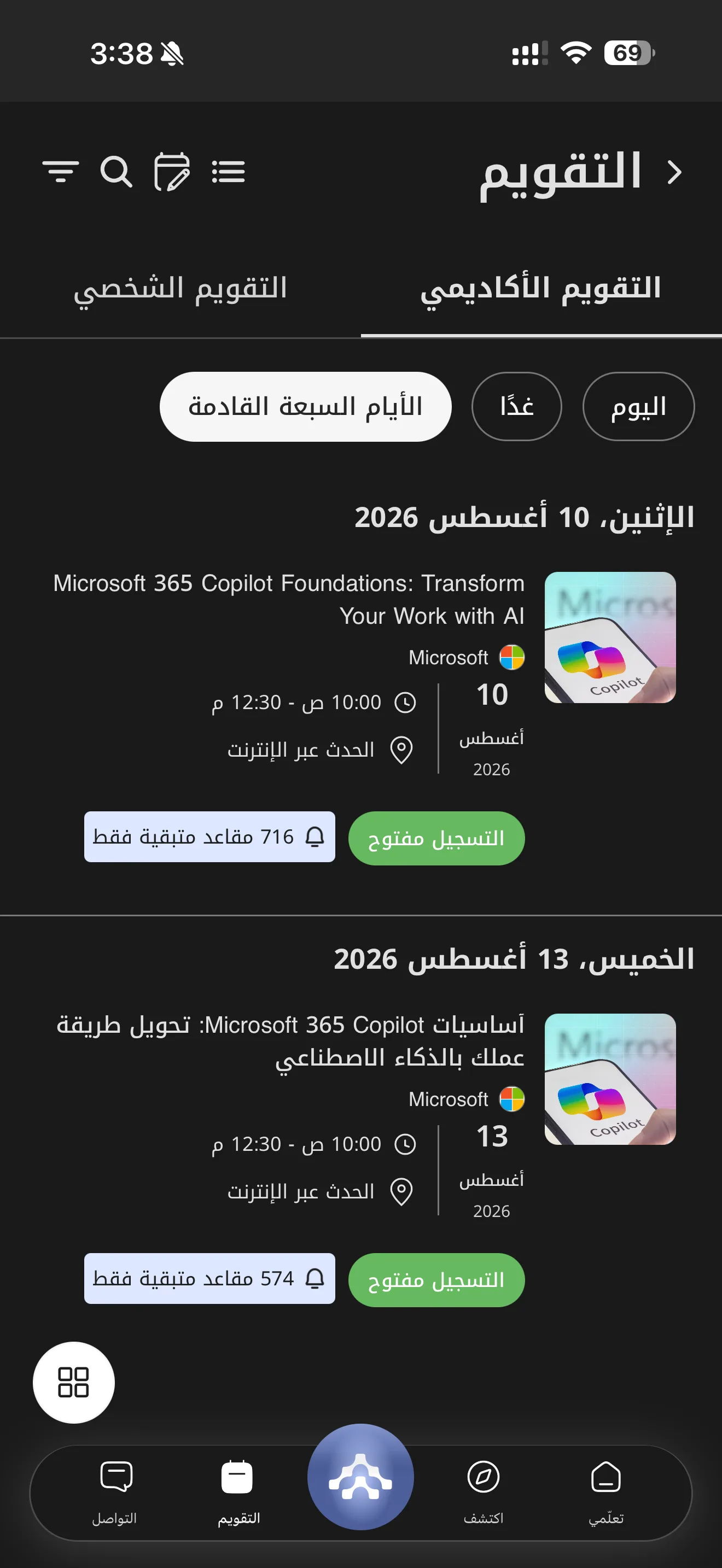
A live online session: a workshop at a set date and time with limited seats. To register, look for the "Registration open" status. Example: Microsoft 365 Copilot fundamentals sessions.
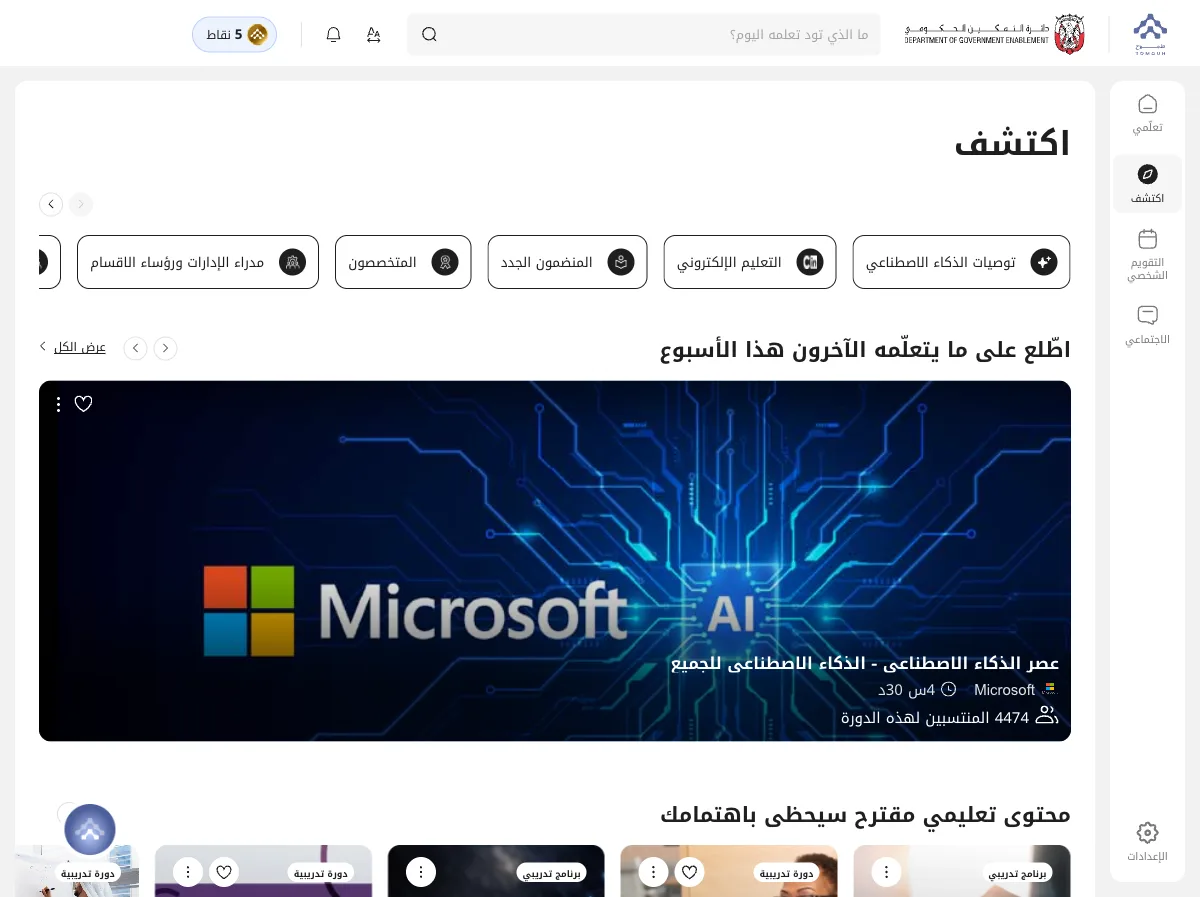
Also in "Discover": the AI Academy with its 4 levels (from AI awareness to advanced agent development), the "Learn in under 30 minutes" section for quick courses, and self-assessments to test what you know. Before you decide, each course page shows its duration, rating, number of enrolled learners, provider and full description.
Track your progress and collect certificates
All your activity collects automatically in the dashboard highlights on your main page:
- Annual goal and learning hours: how much of your yearly goal you have reached and how many hours you have completed.
- Completed learning: a list of every course you have finished.
- Earned certificates: your certificates appear when you complete courses, ready to show.
- Badges and points: earned by learning and completing your profile, and shown on the platform-wide leaderboard.
Tip: complete your profile and add your skills on day one to earn your first points right away and get more accurate recommendations.
Settings: language and dark mode
From "Settings" at the bottom of the side menu you can:
- Switch language: move between the full Arabic and full English interface in one tap.
- Dark Mode: for easier reading.
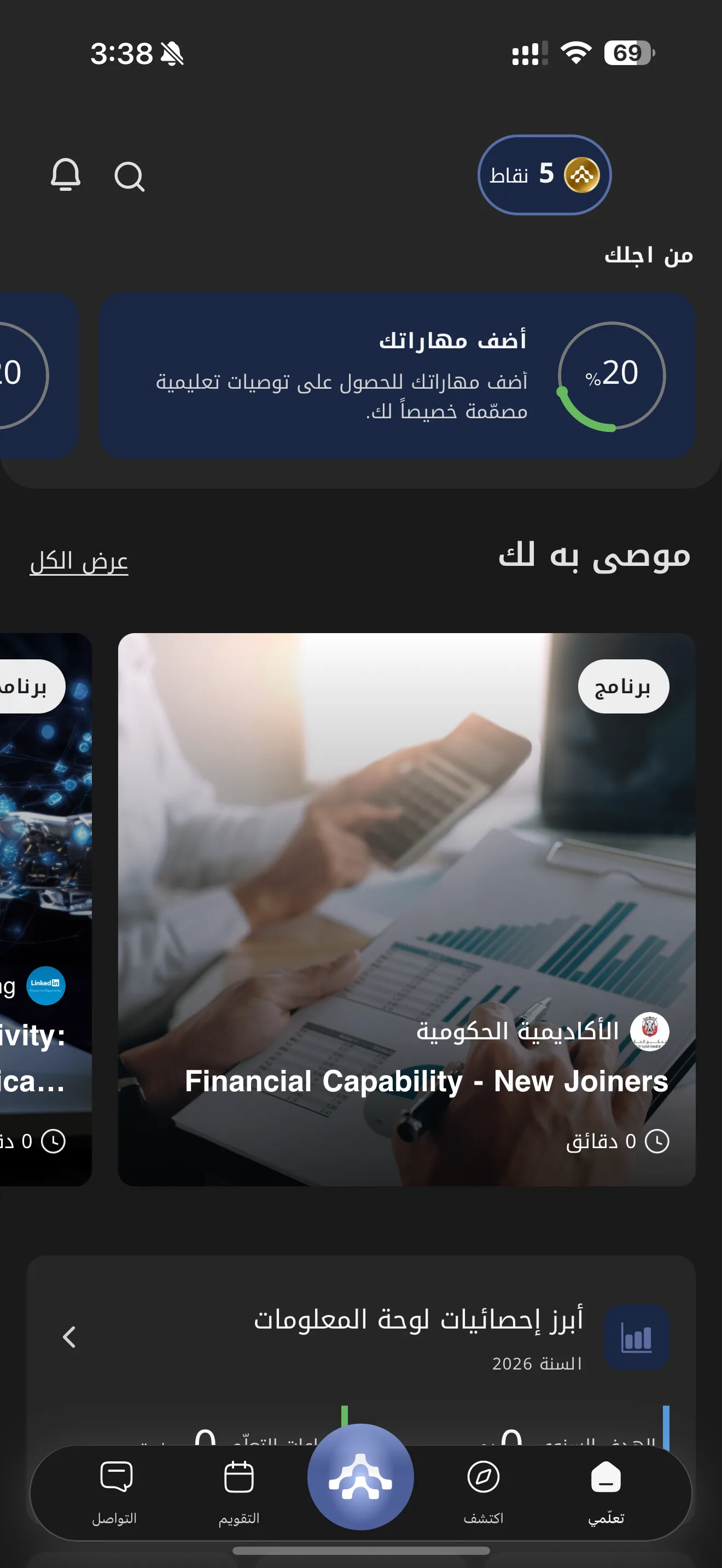
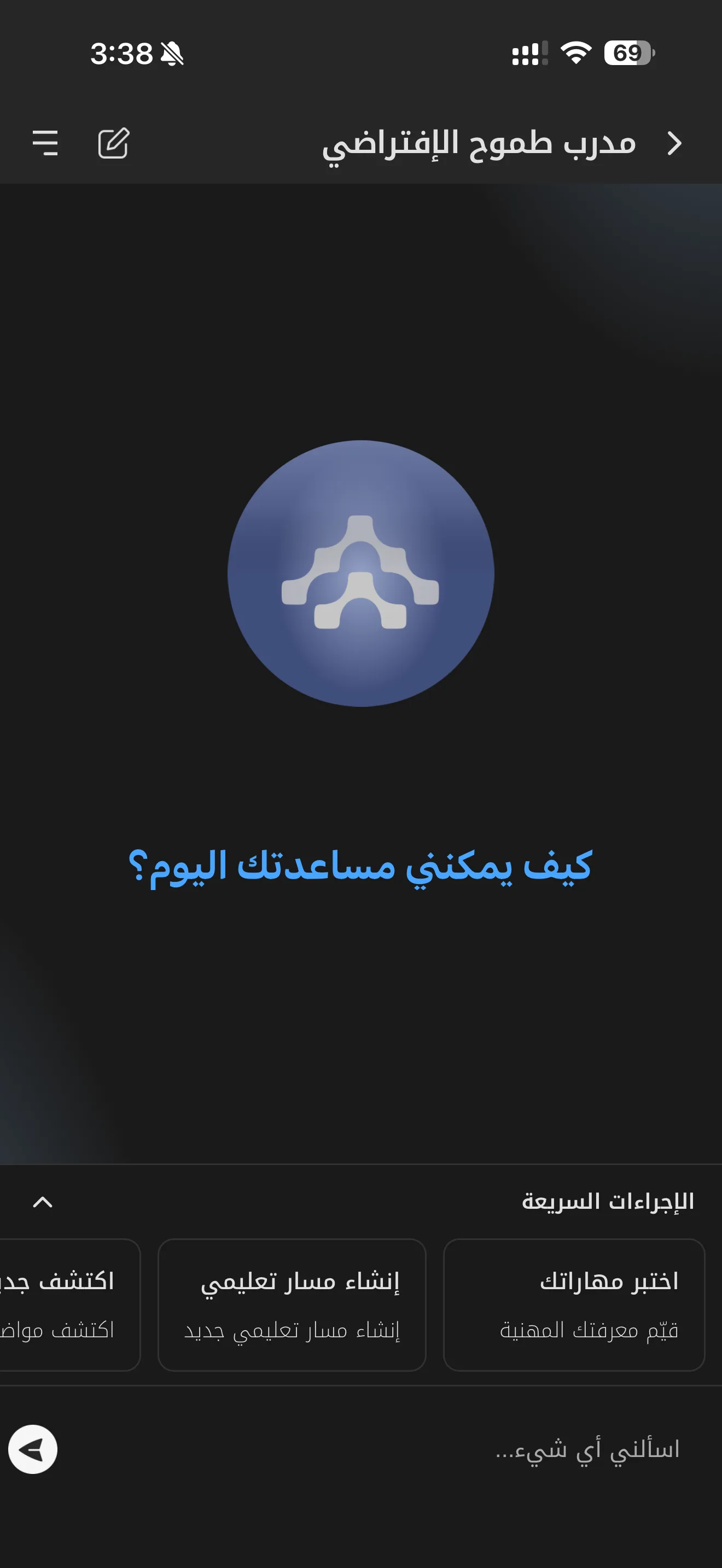
The Tomouh app on your phone
Everything above is also in the Tomouh app on your phone, with a full Arabic interface and dark mode. The bottom bar has "My Learning", "Discover", "Calendar" and "Connect", with the platform button in the middle.
- Quick actions in the virtual coach: "Test your skills" to assess your professional knowledge, and "Create a learning path" to build a new path straight from your phone.
- Two calendar views: "Academic calendar" for platform events and "Personal calendar" for your schedule, and you can register for live sessions in one tap.
- Course page: the tabs "Overview", "Activities" and "Reviews" (with the rating breakdown), and the "Register" then "Start course" button at the bottom.
Your plan for the first week
tomouh.gov.ae and sign in with UAE PASS.Quick questions
Yes, the platform is free for Abu Dhabi Government employees.
No, you can sign in with your UAE PASS account or with your email address.
Both. The interface and the learning content are available in Arabic and English.
From "Upcoming events" or "Calendar", pick a session with the "Registration open" status and register before the seats run out; each session has a limited number of seats.
Sources: tomouh.gov.ae · dge.gov.ae · Abu Dhabi Government Academy via Aletihad (June 2026) · The National (October 2026) · App Store · screenshots from the platform (August 2026, personal data hidden). Checked November 2026.
Want your team to use this at work?
I'm Abdulaziz Alshamsi, a certified AI trainer and consultant in Abu Dhabi. I train government and company teams to use AI in their daily work. Message me to discuss a session for your team.