
A free year of Google AI Plus for students
From opening the link to verifying you are a student, step by step with screenshots
If you are a university student in the UAE, you can get Google AI Plus for a full year at no cost.
You get higher usage limits for study and content tools, plus 400 GB of storage. This guide walks you through sign-up in 4 clear steps.
Before you start
- You are 18 or older.
- You are a student at a university or higher-education institution in the UAE.
- You have a personal Google Account, not your university account.
- You have a valid payment card to complete sign-up.
- Have your university email or proof of enrolment ready.
Official links
Gemini for Students
Student Offer Terms
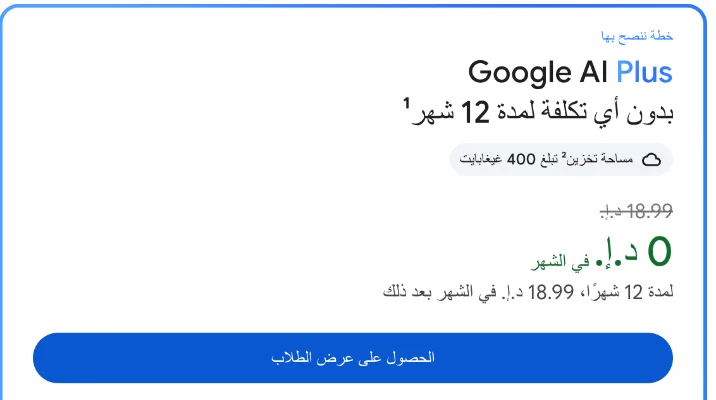
Watch the renewal: the offer is free for 12 months, then renews automatically at AED 18.99 a month unless you cancel. Details in step 4.
What you get and who qualifies
The plan helps with study, writing and content creation, and gives you more storage. You must meet the eligibility rules before you redeem the offer.
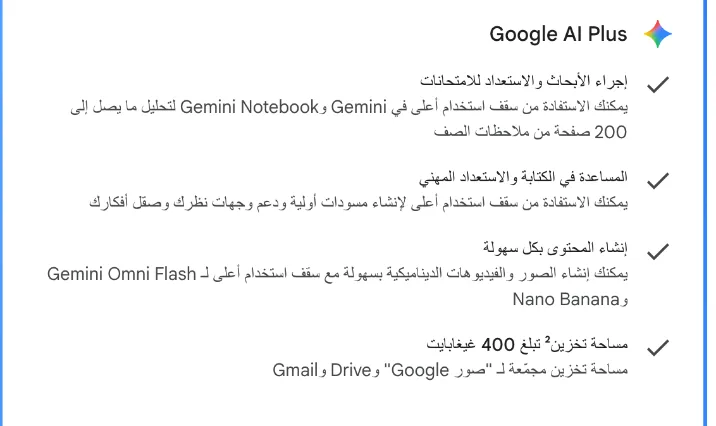
| Feature | What it gives you as a student |
|---|---|
| Research and preparation | Higher usage in Gemini and Gemini Notebook, including analysis of up to 200 pages of your class notes. |
| Writing and work | Help drafting, structuring arguments and generating ideas for study and career preparation. |
| Content creation | Create images and videos with higher usage limits in Gemini Omni Flash and Nano Banana. |
| Storage | 400 GB shared across Google Photos, Google Drive and Gmail. |
Who qualifies
- You are 18 or older.
- You are enrolled at a higher-education institution in a supported country, and the UAE is supported.
- You verify your student status through SheerID, an external verification service.
- You use a personal Google Account.
- You have a Google Payments account and a valid payment method at sign-up.
- The offer is open to new users and to students whose 2025 AI Pro trial has ended, and you must re-verify your eligibility every year.
When it will not work
- You are a member of a family group.
- Your Google One subscription comes through a third party.
- Your Google Account is supervised.
- You sign up with the Workspace for Education account your university issued instead of your personal account.
The second plan is paid: Google AI Pro is offered at 75% off for up to 4 years, but it is paid. This guide covers the free Google AI Plus offer only.
Open the offer page and sign in
Start from the official students page and check which account you are using before you continue. The UAE page is in Arabic, so the button labels below are given in Arabic with their meaning.
Gemini for Students
gemini.google/ae/students
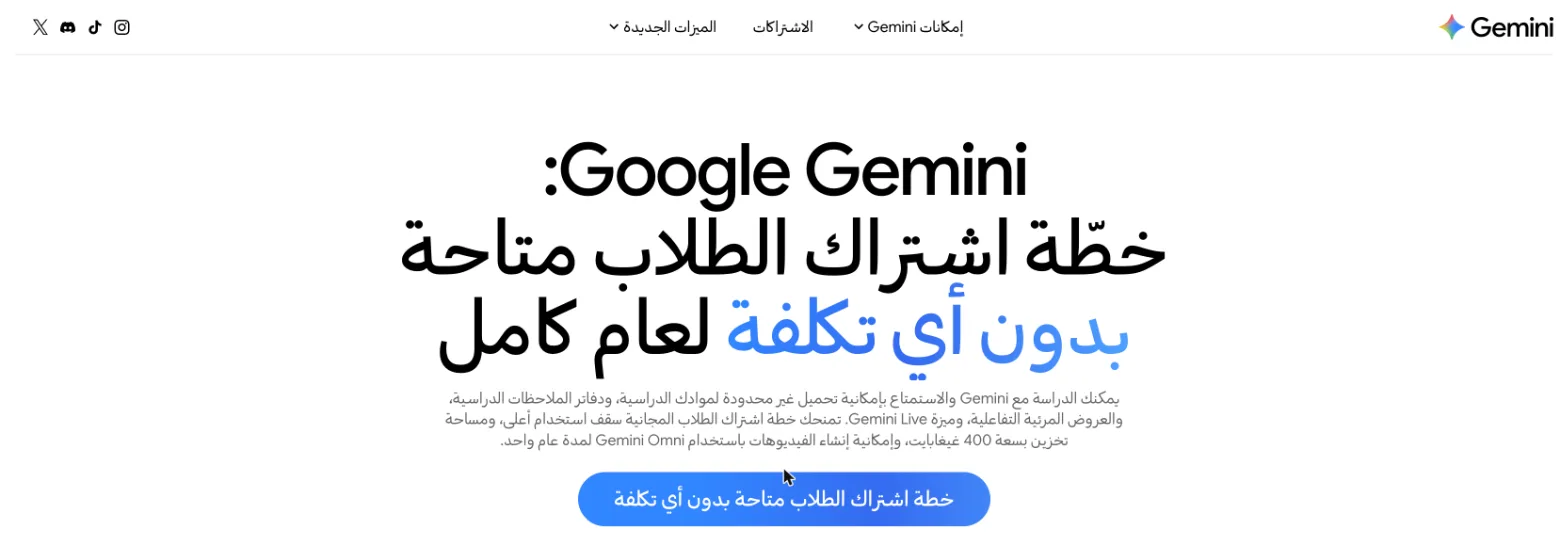
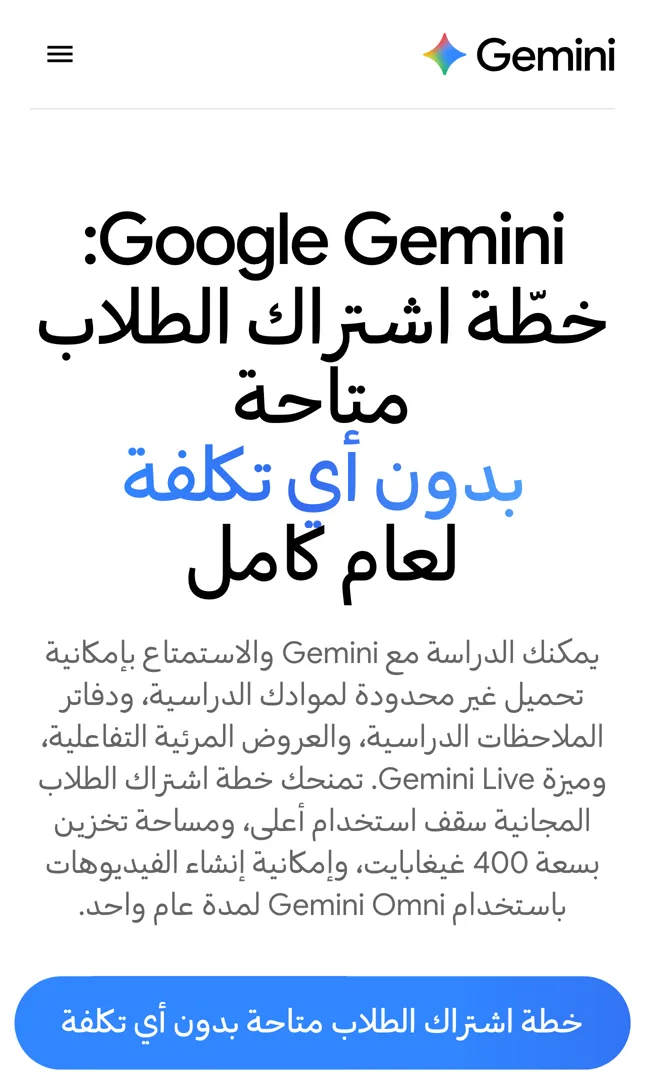
- Open the official link
Go to gemini.google/ae/students. - Tap the blue button
Tap «خطة اشتراك الطلاب متاحة بدون أي تكلفة» ("Student plan available at no cost"). - Use your personal account
Sign in with the personal Google Account you want the plan on.
Check the account first: use your personal account, because your university's Workspace for Education account is not eligible. If you have more than one account, check which one is signed in before you tap.
Choose Google AI Plus
A page titled «عروض حصرية لطلاب الجامعات» ("Exclusive offers for university students") opens with two plans. Choose the free plan this guide covers.

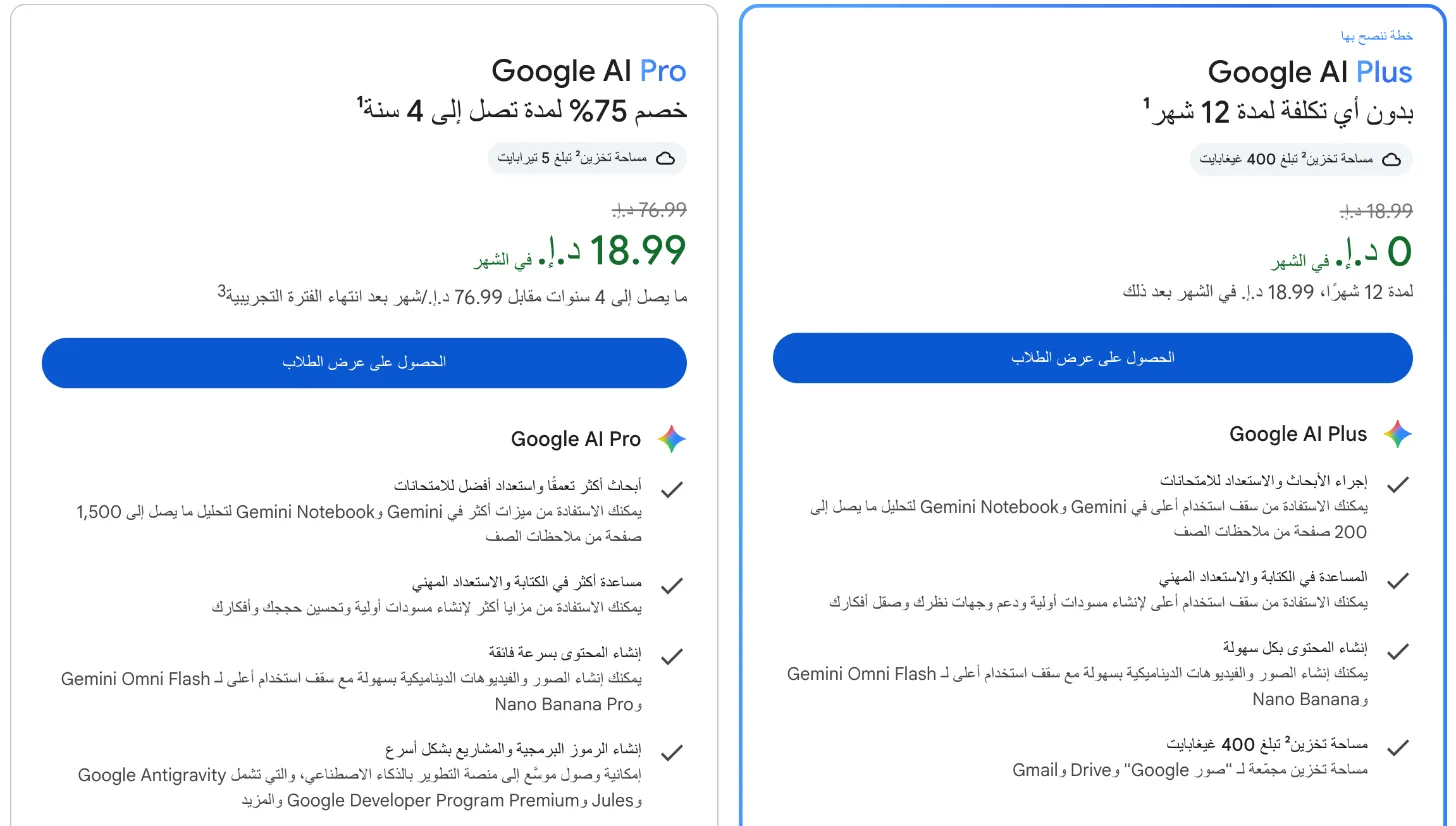
- Find the plan card
Look for the Google AI Plus card. - Check the price and duration
You should see AED 0 a month for 12 months, then AED 18.99 a month. - Start the student offer
Under Google AI Plus, tap «الحصول على عرض الطلاب» ("Get the student offer").
How the two plans differ
| Item | Google AI Plus | Google AI Pro |
|---|---|---|
| Offer | No cost for 12 months | 75% off for up to 4 years |
| Price during the offer | AED 0 a month | AED 18.99 a month |
| Price after the offer | AED 18.99 a month | AED 76.99 a month |
| Storage | 400 GB | 5 TB |
Do not pick the paid plan: do not tap the button under Google AI Pro by mistake. That plan is paid: AED 18.99 a month, then AED 76.99 a month.
Verify you are a student with SheerID
Google uses SheerID to confirm you are enrolled at a university. This step decides whether you qualify for the offer.
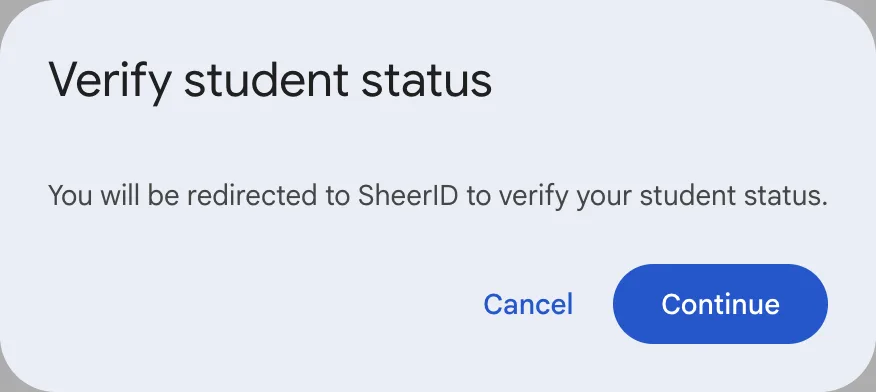
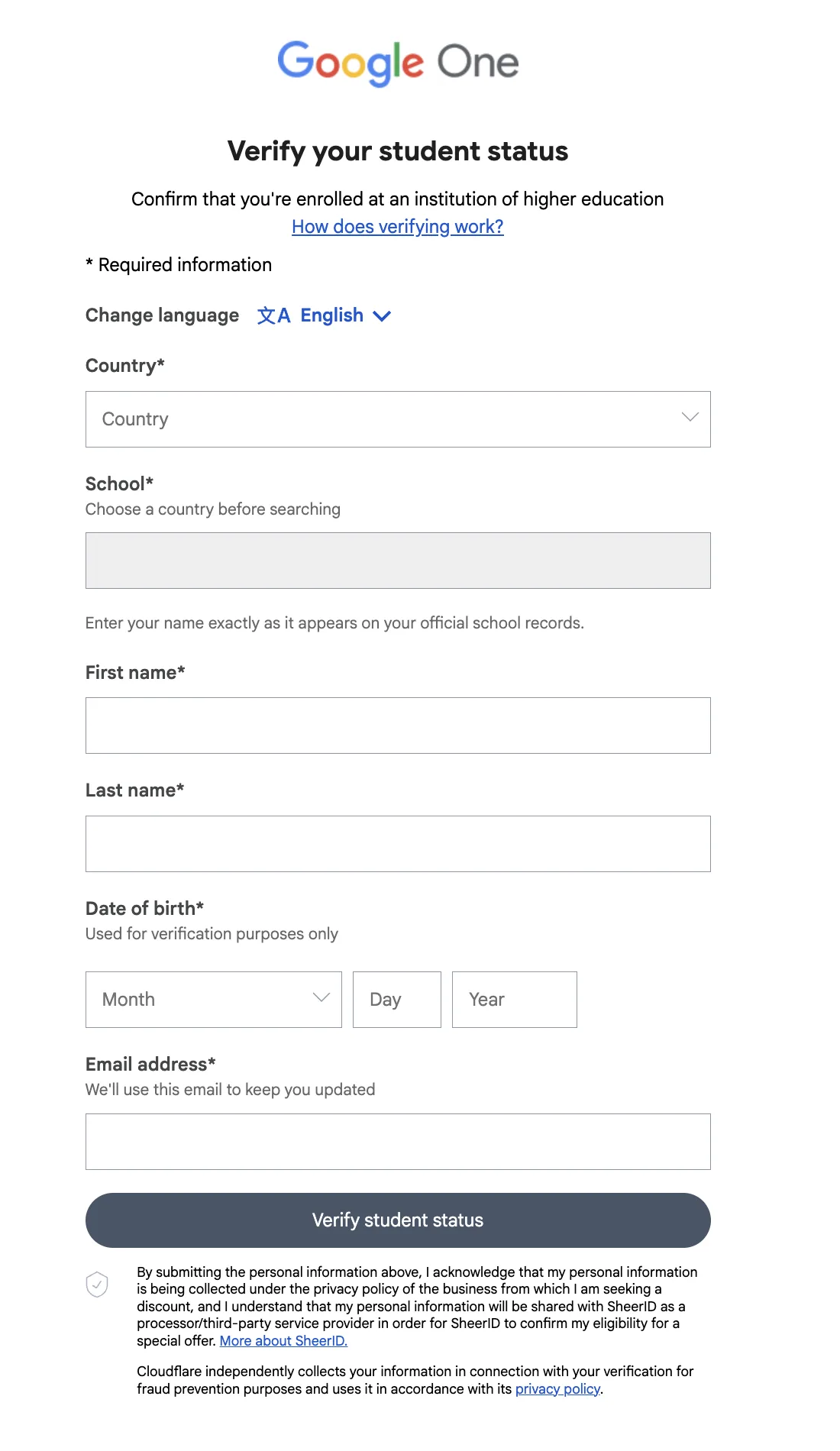
The SheerID form is in English.
- Continue to verification
In the Verify student status window, tap Continue to go to SheerID. - Choose the country
In the Country field, choose United Arab Emirates. - Find your university
In the School field, type your university's name and pick it from the list. - Match your official name
Type your First name and Last name exactly as they appear in your university's records. - Complete the details
Enter your Date of birth and Email address. Your university email usually helps. Then tap Verify student status.
If it asks for proof: if SheerID asks for a document, upload an enrolment letter or a student card issued by your university. Upload it on the SheerID page only.
Confirm the subscription and avoid charges
Once verification succeeds, you finish the subscription on Google. Check the price and date before you confirm, because the plan renews automatically after the year ends.
- Return to Google
After verification is accepted, you return automatically to the Google subscription page. - Review the subscription details
Check the price and the offer end date, then add a payment method or confirm your existing one. - Confirm and check the plan
Confirm the subscription, then open Google One and check that Google AI Plus is active.
Before the year ends
| Problem | Fix |
|---|---|
| The offer does not appear | Check that you are signed in with a personal Google Account and are not in a family group. |
| University not listed | Check the spelling, then try the university's official English name. |
| Verification rejected or asks for documents | Check that your details match, and upload a recent proof of enrolment or your student card on the SheerID page. |
| Payment card declined | Check that the card is valid and enabled for online purchases, or try another valid payment method. |
| I already have Google One | If your subscription comes through a third party, you will not be eligible. Check who bills you and your subscription type before you try. |
Final checklist
Check these steps
Keep your data safe: enter your details only on official Google or SheerID pages. Do not send your ID or date of birth to anyone in private messages, not even to Abdulaziz.
Sources: the Gemini for Students page for the UAE (gemini.google/ae/students), the Google One student offer terms (one.google.com/offer/studentoffer8), and the Gemini plans page for the UAE (gemini.google/ae/subscriptions). Checked November 2026.
Want your team to use this at work?
I'm Abdulaziz Alshamsi, a certified AI trainer and consultant in Abu Dhabi. I train government and company teams to use AI in their daily work. Message me to discuss a session for your team.