


Connect Claude to Blender and make 3D videos
Install Blender, add the official Blender connector to Claude Desktop, add a ready-made skill, then ask for a 3D video in one message and get an MP4 back. For beginners on a Mac or Windows PC, about 15 minutes.
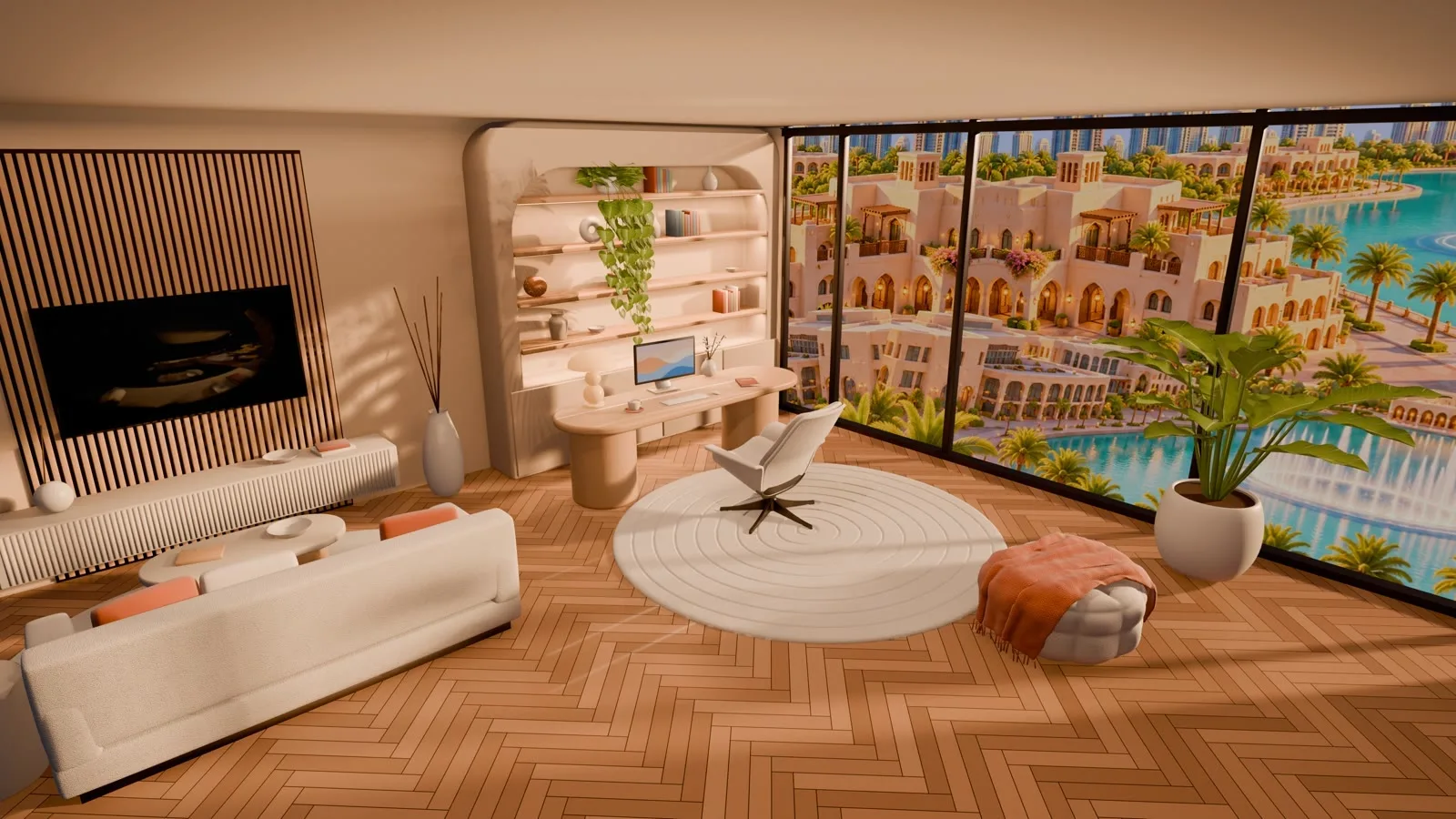
Claude connected to Blender on your computer. You describe a scene in words, and Claude builds the objects, sets the lights and camera inside Blender, shows you a preview and renders a short 3D video as an MP4 file.
Before you start, you need:
Download not starting? Open this page in Safari or Chrome.
Security first. The connector lets Claude run Python code inside Blender with your user permissions. Save your open Blender work before you start, and use it on a computer where you are comfortable giving Claude that access.
Download and install Blender
Blender is free and open source. The connector needs Blender 5.1 or newer. The newest release is Blender 5.3 (November 2026); Blender 5.2 LTS also works.
macOS
- Open blender.org/download and click Download Blender (the macOS Apple Silicon version).
- Open the
.dmgfile and drag Blender into Applications. - Open Blender from Applications. If macOS asks whether to open an app downloaded from the internet, click Open.
Windows
- Open blender.org/download, open Windows, Linux, and other versions and pick the Windows installer.
- Run the
.msifile and follow the installer steps. - Open Blender when the install finishes and check the window opens normally.
Open Blender once after installing so it creates its settings. You need version 5.1 or newer for step 3 to work.
Add the Blender connector in Claude Desktop
The official connector is made by Blender Lab and is verified by Anthropic. It is a desktop extension, so it runs only in the Claude Desktop app, not in Claude in the browser.
- Open Claude Desktop and sign in.
- Click Customize, open the Connectors tab, then Discover.
- Search for
Blenderand open the result Blender, marked "Desktop extension · by Blender Lab". - Install it.
- Quit Claude Desktop completely and open it again.
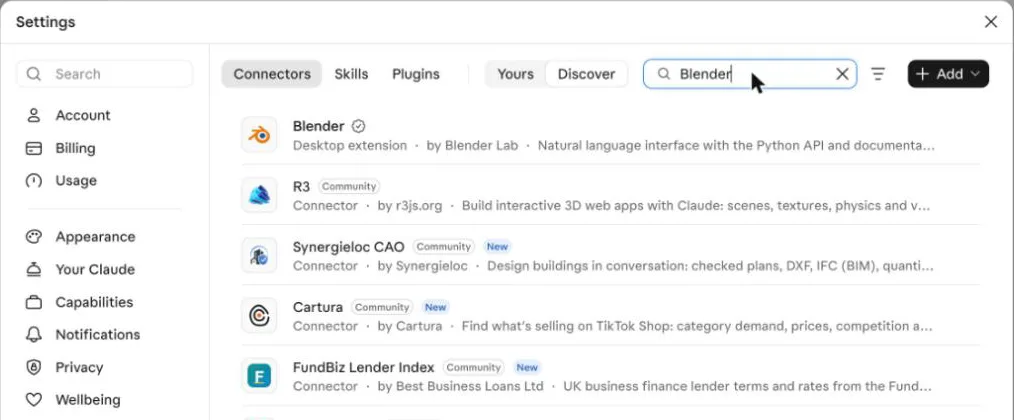
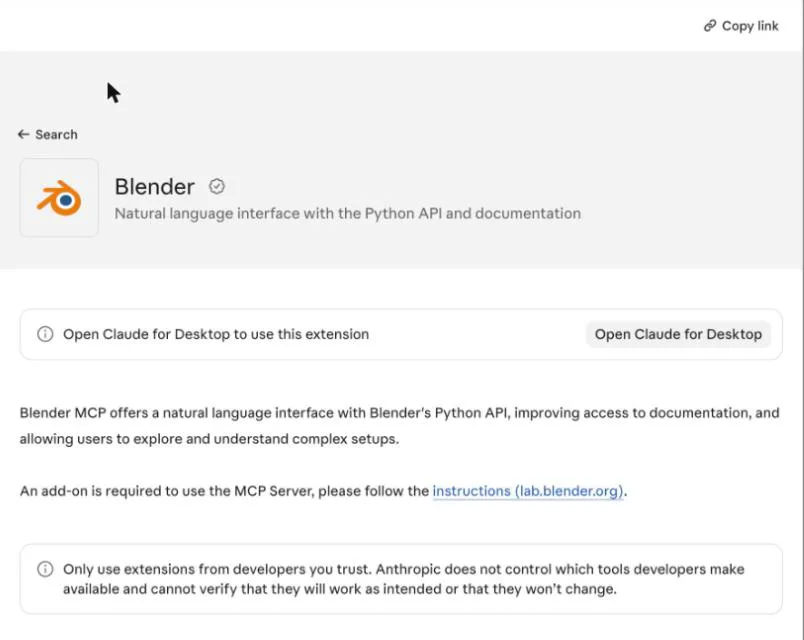
Can't find it? Desktop extensions are also listed under Settings › Desktop app › Extensions › Manage › Browse extensions. You can also open the listing directly: claude.com/marketplace/connectors/blender. On Team or Enterprise plans, an admin may need to allow extensions.
Turn on the MCP add-on inside Blender
The connector page says an add-on is required. It is the MCP add-on from Blender Lab, and it lets Claude talk to the Blender window that is open. You do this once.
- Download
mcp-1.0.3.zipfrom the Blender Lab releases page: projects.blender.org/lab/blender_mcp/releases. Keep it zipped. - In Blender, open Edit › Preferences › Get Extensions.
- Click the small drop-down arrow at the top right and choose Install from Disk..., then select
mcp-1.0.3.zip. - Under Installed, make sure MCP has its tick on.
- Expand MCP and check the settings: Host
localhost, Port9876, Auto Start ticked. These are the defaults, so normally you change nothing.
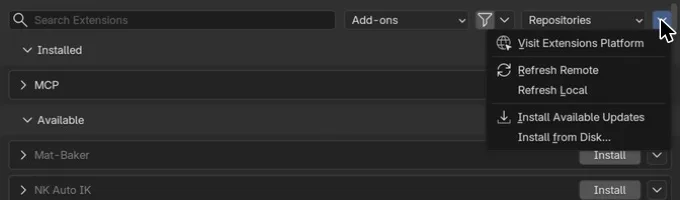
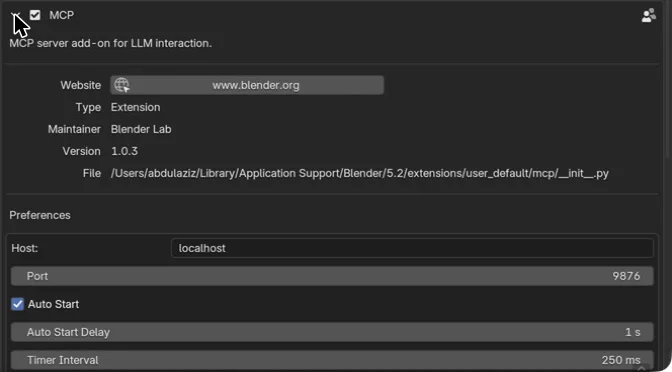
Another way: the add-on page blender.org/lab/mcp-server has a link you can drag into Blender, which installs it and adds the Blender Lab repository so Blender can offer updates.
Avoid a clash. If you installed the older community add-on called "MCP for Blender", disable it. It uses the same port, 9876, and the two get in each other's way.
Add the blender-3d-video skill
The skill teaches Claude how to build a scene, light it, move the camera, check a preview and render an MP4 straight from Blender. Pick one of the two options.
Option 1: upload it in the Claude app
- Open Settings › Capabilities and make sure Code execution and file creation is on (in the newer layout it is called Create and edit files). Skills need it.
- Open Customize › Skills.
- Click the + button, choose Create skill, then Upload a skill.
- Select
blender-3d-video.zipas it is, without unzipping it. - Check that blender-3d-video appears in your skills list with its toggle on.
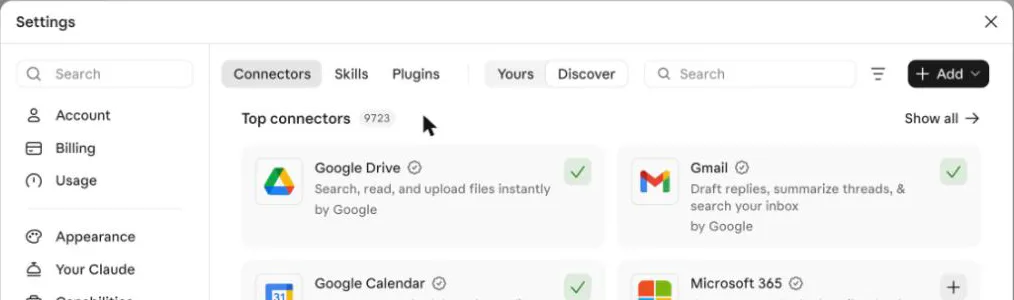
Skills work on the Free, Pro, Max, Ultra, Team and Enterprise plans. On Team and Enterprise, an owner can turn off skill uploads.
blender-3d-video.zipThe Claude skill that turns a short request into a 3D video rendered in Blender.Download not starting? Open this page in Safari or Chrome.
Option 2: the install prompt for Claude Code
If you use Claude Code, attach blender-3d-video.zip to the chat and paste this prompt as it is. It copies the skill into your personal skills folder, which Claude Code reads.
Install the attached skill (blender-3d-video.zip):
1. Unzip it to a temporary folder and check it contains SKILL.md starting with "---" and name: blender-3d-video.
2. Copy the whole blender-3d-video folder to my skills folder:
   - Mac / Linux: ~/.claude/skills/blender-3d-video
   - Windows: %USERPROFILE%\.claude\skills\blender-3d-video
   If the folder already exists, ask me before replacing it.
3. Do not run any script from the zip during installation.
4. List the installed files and tell me to restart Claude.
5. Then check that the Blender connector is connected; if not, give me the setup steps.Which option? The skills folder in Option 2 is used by Claude Code, not by Cowork or the Claude app. If you make videos from Claude Desktop, use Option 1.
Make your first 3D video
- Open Blender first and leave it open while you work.
- Open a new chat in Claude Desktop and paste this request.
First test
Make a 6-second vertical 3D video: a teal cube on an orange pedestal, the camera orbits, and the title "Claude + Blender" floats above.What you should see:
- Claude checks the Blender connection, then gives you a short shot plan.
- A new scene appears in Blender. The skill never touches your existing objects.
- Claude shows preview images before the final render and tells you roughly how long it will take.
- The MP4 is saved in a
blender-videosfolder on your Desktop.
More requests to try
Product reel: a simple perfume bottle on a light floor, golden light, slow push-in, 8 seconds.Logo animation: the text "My Brand" rises in softly, night look with glowing accents, 5 seconds, square.Then refine in plain words: "slower camera", "change the colours to #E07B39 and #16283F", or "render a quick 50% draft first".
Quick fixes
Install the Blender connector (step 2), then quit and reopen Claude Desktop.
Open Blender and check that MCP is ticked in Edit › Preferences with Auto Start on. Keep only one Blender window open.
Your Blender is older than 5.1. Install the latest version from blender.org/download.
Disable the community "MCP for Blender" add-on if you have it, and close extra Blender windows.
It is a desktop extension. Use the Claude Desktop app.
Turn on code execution in Settings › Capabilities, or ask your organization owner to allow skills.
Ask for a 50% draft first, then render the final version once you like it.
Checklist
Sources: Claude connector directory, Blender listing (claude.com/marketplace); Anthropic Help Center, Use skills in Claude and Getting started with local MCP servers on Claude Desktop (support.claude.com); Claude Code docs, Skills (code.claude.com); Blender Lab MCP repository and releases (projects.blender.org/lab/blender_mcp); Blender 5.3 release notes (developer.blender.org); Blender manual, Get Extensions (docs.blender.org). Checked November 2026.
Want your team to use this at work?
I'm Abdulaziz Alshamsi, a certified AI trainer and consultant in Abu Dhabi. I train government and company teams to use AI in their daily work. Message me to discuss a session for your team.