


Build a full app from words alone
From an idea to a real app with a UI, sign-in and a database, without writing a single line of code yourself. Using Google Stitch and Google AI Studio.
Anyone can now build a full app with no coding experience, just by describing the idea in plain language. Two free Google tools work together: one designs the interface, and the other turns the design into real, deployable code with a database and sign-in.
The path in one line
What you need before you start
- A regular Google account: no credit card needed to start, and you can publish without setting up billing if your personal account is eligible (details in step 5).
- A web browser only: nothing to install on your device.
- A clear idea: of the app you want, ideally written in English for the best result.
The two tools in brief
A Google Labs tool, still in Beta, that turns your text or voice description, or an image you provide, into ready UI screens. It runs on Gemini models, and you can paste the design into Figma, export the front-end code, or send the design to Google AI Studio or Google Antigravity.
A browser platform you can start using for free (Free plan) to build apps by vibe coding. You describe what you want, and the Antigravity Agent writes the code and shows a live preview. You deploy the app to Cloud Run with the Publish button, and the Firebase integration adds a Cloud Firestore database and Google sign-in through Firebase Authentication.
What is vibe coding? Building apps with words instead of writing code. You describe what your project should do, and the AI writes the code, builds the interface and sets up the logic behind the scenes. Your job is to direct and review, not to write the code yourself.
Design the interface in Google Stitch
- Open
stitch.google.com(the old linkstitch.withgoogle.comnow redirects there), click Try now and sign in with your Google account when asked. - In the start box that shows "What native mobile app shall we design?", type your idea, ideally in English. Say the type of page, the main elements and the overall style.
- Below the box, choose App for a mobile app or Web for a website. Leave the mode menu on Balanced.
- Click the arrow button to send, and Stitch builds the screens on the canvas in front of you.
- Refine the design with follow-up prompts, and keep each prompt to one element (a color, the layout, a font) for more precise results.
- When you are happy with the design, export it to paste into Figma, take the code, or send it to AI Studio.
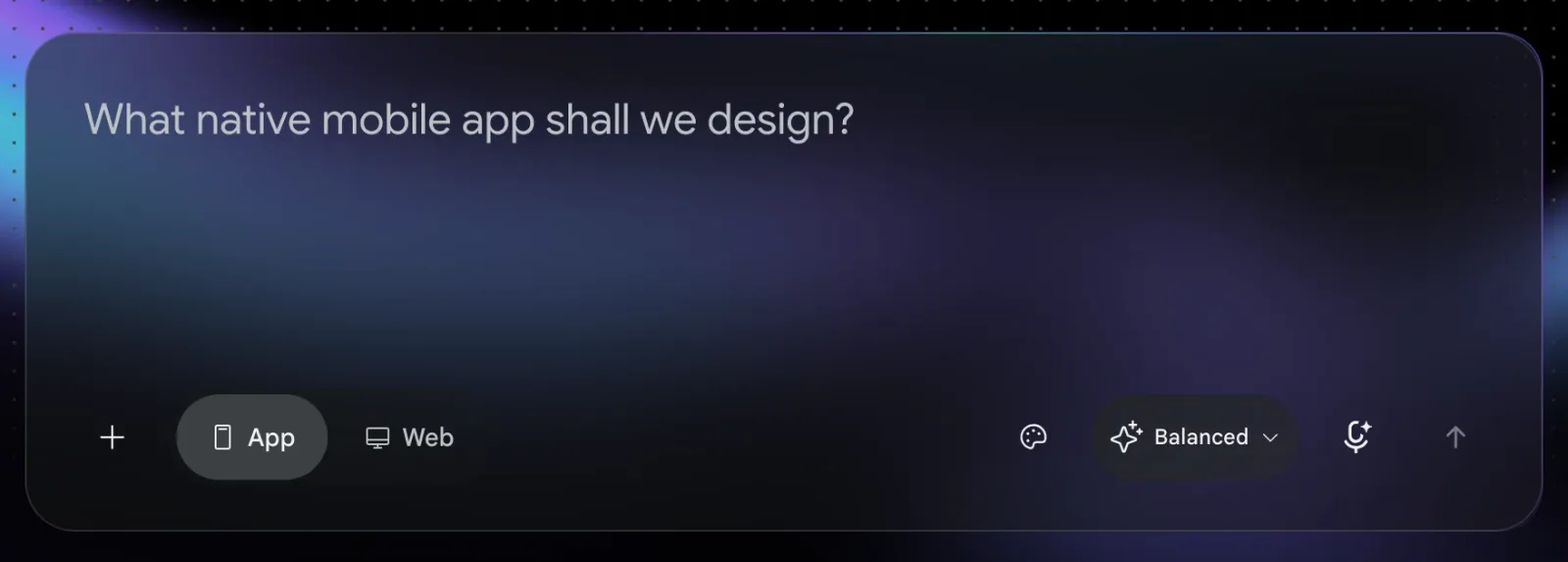
The interface as it appears on the site.
Example of a good description: "Create a landing page for a watch store with a hero image, a product grid, and a countdown banner." The more specific the description, the closer the design gets to what you have in mind.
Move the design to Google AI Studio
Exporting straight from Stitch to AI Studio lets you keep working without rebuilding anything by hand.
- Inside Stitch, choose to export the design to AI Studio (in the export menu).
- Or open
aistudio.google.com, click Get started and sign in, then go to Build mode (aistudio.google.com/apps).

Turn the design into code with Gemini
This is where vibe coding starts. You describe what you want, and the Antigravity Agent writes the code for you using Gemini models.
- In Build mode, describe what the app does in the input box, or use the microphone button to turn your speech into text.
- The agent writes the code, and a live preview of the app appears next to it.
- Try the app in the preview, give your feedback in plain language, and repeat until you get the result you want.
API keys: AI Studio sets up your Gemini key automatically and injects it on the server side only, so it never appears in the front-end code your users receive. The key is named GEMINI_API_KEY, and you can see it in the Secrets panel under Settings. If you download the app as a ZIP to run it elsewhere, you need to set the key yourself in that hosting environment.
Add the backend and database with Firebase
A full app needs more than an interface: it needs a way for users to sign in and a place to store data. That is the job of Firebase, which is built into AI Studio.
Sign-in
Ask for a sign-in screen, and the agent sets up Sign in with Google by default.
Database
When the agent asks, click Enable Firebase on the card that appears, and it creates a Cloud Firestore database and connects it to the app.
For the best result, ask for Firebase by name in your description, as in this example.
Build a shared to-do list app using Firebase as a backend.If you forget to mention it, open Settings, then Integrations, and choose Firebase Firestore & Auth. This integration currently works with web apps only.
Now you have all the parts in one app: an interface (UI), sign-in (authentication) and a database.
Publish the app
- Once the app works, click Publish in the top corner and follow the steps to get a live link to your app on Cloud Run.
- Eligible personal accounts can publish up to 2 apps for free without setting up billing, under the Starter Tier. Google Workspace accounts and accounts that have used paid Google Cloud billing before need a Google Cloud project with billing turned on.
- When you publish, your key is stored securely on the server side, and the app uses it for all your users' requests.
- To keep developing somewhere else, download the code as a ZIP or connect a GitHub repository from Settings.
The full truth about "free"
"Free" is accurate but needs context. The tools are free for learning, trying things out and building prototypes, but running a production app at scale may eventually take you into paid plans.
The accurate summary: say "free to start" or "free for learning and trying out" instead of just "free". The message stays strong and you stay accurate.
Tips and best practices
The whole path is now within anyone's reach: design in Stitch, build the app in AI Studio with its coding agent, add the backend with Firebase, then publish with one click. All from the browser, and free to start. The idea is yours; the building is now shared.
Sources: Google Labs (Stitch posts, March and May 2026) · Google AI Studio docs (Build mode, deploying, pricing) · Firebase docs and pricing page. Checked November 2026.
Want your team to use this at work?
I'm Abdulaziz Alshamsi, a certified AI trainer and consultant in Abu Dhabi. I train government and company teams to use AI in their daily work. Message me to discuss a session for your team.